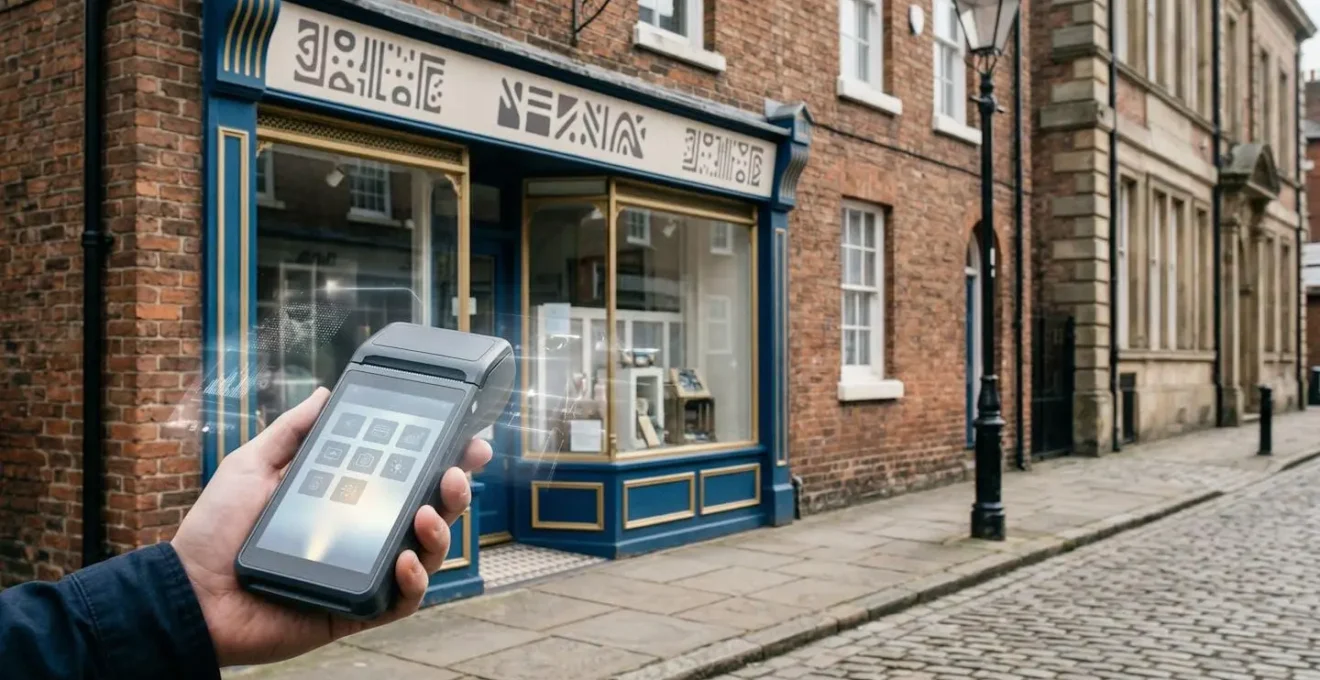
The key to profitability for UK high street shops isn’t chasing expensive tech fads, but mastering affordable operational tools you already have or can easily implement.
- Focus on simple, data-capturing loyalty schemes over costly custom apps to understand your real customers.
- Leverage your basic sales data to make accurate stock predictions, cutting waste and maximising festive sales.
Recommendation: Before investing a single pound in new technology, conduct a pragmatic audit of your current operational workflow to identify the biggest opportunities for efficiency gains.
As an independent retailer on the British high street, you’re constantly bombarded with the next ‘game-changing’ technology. Slick salespeople promise that expensive digital displays, bespoke mobile apps, and artificial intelligence will revolutionise your business and bring customers flooding through the door. The pressure to ‘digitise or die’ is immense, yet your budget isn’t. For every success story, there are countless tales of dusty, unused tech and wasted capital that a small business with a £200k turnover simply cannot afford.
The common advice revolves around adopting the shiniest new object. But what if the greatest returns aren’t found in these headline-grabbing investments? What if the key to unlocking real, measurable ROI is hidden in plain sight, within the pragmatic and often-overlooked operational tools you can afford today? The truth is, a tool is only as good as the strategy behind it, and a £2,000 point-of-sale system can be rendered useless by a simple, predictable error.
This guide cuts through the hype. We will not be discussing futuristic AI or virtual reality fitting rooms. Instead, we will adopt the skeptical but results-focused mindset of a seasoned consultant. We’ll explore how to make smart, affordable choices on everything from loyalty schemes to staff training, and how to use the basic data you already possess to make impactful business decisions. It’s time to shift the focus from expensive acquisitions to intelligent operations.
The following sections provide a clear roadmap for this pragmatic approach. We will dissect common pitfalls, offer actionable strategies, and provide clear financial comparisons to help you invest your hard-earned capital where it will generate a genuine return.
Contents: A Pragmatic Guide to UK Retail Tech ROI
- Why expensive digital signage often fails to increase footfall in local shops?
- How to set up a digital loyalty scheme that captures 80% of walk-in data?
- Custom app vs generic platform: What is the best choice for a shop with £200k turnover?
- The staff training error that renders your new £2,000 POS system useless
- How to use basic sales data to predict Christmas stock needs 3 months early?
- Why manual bank reconciliation is the biggest time-waster for 90% of freelancers?
- Why your Pret A Manger baguette lunch causes a 3 PM productivity slump?
- How to Automate Invoicing to Save 10 Hours a Week Without a Tech Team?
Why Expensive Digital Signage Often Fails to Increase Footfall in Local Shops?
The allure is powerful: a vibrant, dynamic screen in your shop window, showcasing your best products in a dazzling loop. It feels modern, professional, and surely, it must draw people in. Retailers are tempted to make a significant outlay, with investment data showing a typical multi-screen setup costs £3,000 to £6,000. Yet, weeks later, the footfall counter hasn’t budged. The screen has become expensive, ignored digital wallpaper. Why does this happen?
The failure rarely lies in the technology itself, but in the assumption that the screen is the solution. It’s not. The screen is just a vessel; the content and strategy are what matter. Most small retailers lack the time or graphic design skills to create compelling, constantly updated content. A static “20% OFF” message on a £3,000 screen is no more effective than a well-designed poster that costs a fiver. Without a clear plan for what the screen will communicate, to whom, and how that message will change daily or weekly, the investment is dead on arrival.
This is a classic case of what the tech industry cynically calls “shiny object syndrome.” As the editorial team at Retail Technology Innovation Hub wisely noted in an analysis of UK retail technology adoption:
A shiny new technology emerges, gets hyped to the heavens, those responsible promise it will revolutionise everything, and then reality bites.
– Retail Technology Innovation Hub editorial team, Analysis of UK retail technology adoption patterns
The “reality bite” for digital signage is the relentless demand for fresh, engaging content. Unless you have the resources to feed the beast, your money is better spent on lower-tech, higher-impact marketing efforts that you can realistically maintain. The ROI isn’t in the hardware, it’s in the message.
How to Set Up a Digital Loyalty Scheme That Captures 80% of Walk-in Data?
Unlike a passive digital screen, a loyalty scheme is an active tool for engagement and, crucially, data collection. The question isn’t whether they work— research from Mintel shows that over 80% of UK consumers actively use at least one loyalty programme. The real question is how an independent retailer can implement one without the budget of a supermarket giant. The secret is to prioritise data capture and relationship-building over complex, app-based systems.
Your goal isn’t just to reward repeat business, but to understand who your customers are. A well-designed scheme should, with consent, capture at least a name and an email address or phone number from the majority of your transactions. This data is gold. It allows you to communicate directly with your customer base, announce new products, and build a community around your brand that online giants can’t replicate. The interaction itself builds the relationship, making technology a facilitator, not a barrier.
As the image above suggests, the most effective data capture is a moment of human connection. To achieve this pragmatically, you can adopt a tiered approach, starting with low-cost options and scaling only when necessary. The key is to make it incredibly simple for both the customer and your staff.
Here are three practical, low-cost strategies for implementing a digital loyalty scheme:
- Tier 1 (Low-Cost): Implement QR code-based systems that require minimal infrastructure. Customers can scan a code at the point of sale with their smartphone to earn a digital “stamp,” often after a quick one-time email registration.
- Tier 2 (Integrated): Utilise the built-in loyalty features of your existing POS system. Many modern systems like Square or Lightspeed have integrated modules that link purchases directly to a customer profile, capturing data seamlessly within the transaction.
- Tier 3 (Community): Deploy a “no-app” strategy using private WhatsApp Business groups or a close-knit Facebook Group for your VIP customers. This fosters direct, personal relationships and is perfect for building a core of loyal advocates without any development cost.
Custom App vs Generic Platform: What Is the Best Choice for a Shop With £200k Turnover?
The dream of having your own branded app on a customer’s phone is a powerful one. It feels like the ultimate mark of a modern, successful business. However, for an independent retailer with a turnover of around £200,000, this dream can quickly become a financial nightmare. The decision between a custom-built application and a generic e-commerce platform (like Shopify or Squarespace) is one of the most critical technology choices you’ll make.
The upfront cost is the most immediate and shocking difference. While platform setup can be minimal, building a bespoke app is a major project. In fact, according to 2024 UK app development industry data, even basic retail apps start in the range of £15,000 to £50,000. That’s a huge slice of your annual turnover before you even factor in the ongoing costs of maintenance, security updates, and feature improvements, which are all handled for you by a platform subscription.
To put this into perspective, let’s look at a direct financial comparison. The following table breaks down the realistic costs and responsibilities associated with each option for a small UK retailer.
| Cost Factor | Custom App (UK Development) | Generic Platform (Shopify/Squarespace) |
|---|---|---|
| Initial Investment | £15,000 – £30,000 upfront | £0 – £500 setup |
| Annual Cost (Year 1) | £15,000 – £30,000 | ~£3,000 (premium plan) |
| Maintenance (Yearly) | £2,250 – £6,000 (15-20%) | Included in subscription |
| % of £200k Turnover (Year 1) | 7.5% – 15% | 1.5% |
| Security Updates | Manual, requires developer | Automatic by platform |
| Payment Standards Compliance | Business responsibility | Platform-managed |
| Integration Complexity | High (custom code required) | Low (app marketplace) |
The data, drawn from an analysis of app development costs, is unequivocal. For a business of this scale, a custom app consumes a disproportionate amount of capital (up to 15% of turnover in year one) for uncertain returns. A generic platform offers 90% of the functionality for 10% of the cost, handling critical aspects like security and payments automatically. The pragmatic choice is clear: master a generic platform first. Only consider a custom app when your business has scaled to a point where the platform’s limitations are genuinely costing you more than the app’s development.
The Staff Training Error That Renders Your New £2,000 POS System Useless
You’ve done the research and invested in a modern, £2,000 Point of Sale (POS) system. It promises to track inventory, manage customer data, and streamline checkout. Yet, three months in, your staff are only using it as a glorified cash register. Inventory levels are still inaccurate, no customer data is being captured, and the powerful reporting features are untouched. This is the single most common failure in retail tech adoption: investing in the tool, but not in the people.
The error is assuming that a single, one-hour group training session is sufficient. It isn’t. Staff are often overwhelmed, forget the details under pressure, and revert to old habits. Without ongoing support and a clear understanding of *why* each feature matters (e.g., “capturing this email helps us drive sales during quiet periods”), the system’s potential is wasted. The solution is not more training sessions, but a smarter, more sustainable training strategy.
Effective training is a hands-on, continuous process, not a one-off event. It requires creating an internal resource—a champion for the new system who can provide peer-to-peer support. This “Super User” model is far more effective and affordable than relying on external trainers. It embeds expertise within your team and makes learning a collaborative, ongoing effort.
Your Action Plan: Implementing the ‘Super User’ Training Model
- Identify: Select one enthusiastic staff member with strong communication skills and a natural tech aptitude to become the designated ‘Super User’ for your new POS system.
- Deep Train: Invest in comprehensive one-on-one training for this individual, covering not just ‘how’ to use features but ‘why’ each function impacts sales, efficiency, and customer experience.
- Empower: Officially recognise the Super User role, perhaps with a small incentive or title. Make them the first point of contact for any colleague’s technical questions, taking the pressure off you.
- Peer Train: Task the Super User with conducting short, regular team training huddles (15-20 minutes weekly), using real scenarios from your shop rather than generic examples.
- Feedback Loop: Schedule monthly check-ins where the Super User reports common issues, identifies training gaps, and suggests improvements, creating a cycle of continuous learning.
How to Use Basic Sales Data to Predict Christmas Stock Needs 3 Months Early?
For an independent retailer, the Christmas period is a make-or-break season. Overstock, and your cash is tied up in January’s clearance sale. Understock, and you leave a huge amount of revenue on the table. The common approach is a mix of guesswork and repeating last year’s order. But a more precise, data-driven method is possible using the simple sales reports from your POS system—no advanced analytics degree required.
Planning three months early (around September) is more critical than ever. Post-Brexit supply chain complexities have introduced significant friction. McKinsey data on UK supply chain disruptions reveals that delivery timelines have been extended by an average of 30% due to new customs procedures. Ordering in October for a December delivery is now a high-risk gamble. You need to place your key orders in September, and for that, you need reliable insights.
The goal is to move from guessing to forecasting. By exporting your sales data from the previous Q4 into a simple spreadsheet, you can uncover powerful patterns that will guide your ordering. This isn’t “Big Data”; it’s just smart use of the information you already own. This process can be broken down into three straightforward analytical steps.
- The 80/20 Rule Analysis: Export your sales data from last year’s Q4 (Oct-Dec). Sort all products by the total revenue they generated. Identify the top 20% of your products that brought in 80% of your revenue. These are your ‘proven winners’ and should form the core of your Christmas inventory investment. Order deep on these items.
- The ‘Gifting Pair’ Analysis: Use your transaction data to see which items were frequently bought together in the same basket last Christmas. For example, did customers who bought a specific candle also often buy a particular type of soap? Stocking these ‘product pairs’ proportionally increases the average basket value.
- The ‘Early Bird’ Signal: Analyse your sales from last October. Which products started selling unusually well *before* the main festive rush? These early movers are often strong predictors of what will be a massive hit in December. By comparing October sales year-on-year, you can spot emerging trends early enough to place a confident reorder.
Why Manual Bank Reconciliation Is the Biggest Time-Waster for 90% of Freelancers?
To fully appreciate the hidden costs of operational inefficiency in retail, it’s useful to look at an analogy from a different type of small business: the freelancer. For a freelance graphic designer or writer, one of the most soul-destroying and unprofitable tasks is manual bank reconciliation—poring over bank statements and invoices at the end of the month, trying to match payments to projects. It’s unpaid, administrative time that directly eats into their earning potential.
This single task can easily consume a full day per month. That’s a day they could have spent on billable client work. The reason it’s such a time-waster is that it’s a repetitive, rules-based process that is perfectly suited for automation. Modern accounting software can connect directly to a bank feed and automatically match 90% of transactions, leaving only a few exceptions for manual review. The freelancer who fails to adopt this simple automation is willingly sacrificing profit for the sake of an outdated process.
For a high street retailer, this exact same principle applies, but the “manual reconciliation” takes different forms. It’s the hours spent manually cashing up at the end of the day instead of using a POS report. It’s the time wasted doing a full manual stock count every month because your POS inventory data isn’t trusted. It’s the process of manually paying supplier invoices one by one instead of using a batch payment system. Each of these manual tasks is a hidden leak in your profitability, just like the freelancer’s spreadsheet.
Why Your Pret A Manger Baguette Lunch Causes a 3 PM Productivity Slump?
Let’s take one more analogy, this time from the world of personal productivity. Many office workers know the feeling: you have a substantial lunch, like a Pret A Manger baguette, and by 3 PM, your brain feels like it’s wading through treacle. This post-lunch slump is a biological reality caused by the body diverting energy to digest a large, carbohydrate-heavy meal. Your personal ‘operating system’ slows to a crawl, and your productivity plummets.
A poorly chosen piece of business technology can have the exact same effect on your entire retail operation. It creates a business-wide ‘productivity slump’. This happens when a new system doesn’t integrate with your existing tools, creating data silos and manual workarounds. For example, if your new e-commerce platform doesn’t sync inventory with your in-store POS system, you have to manually update stock levels in two places. This doubles the workload, introduces errors, and slows down your entire operation.
This “slump” manifests as slow decision-making because you can’t get a clear, unified view of your business. How much stock do you really have? Which channel is more profitable? Answering these basic questions becomes a laborious task of patching together reports from different, non-communicating systems. Just like the heavy lunch, the ‘wrong’ tech choice diverts your business’s energy towards low-value administrative digestion instead of high-value activities like sales and marketing.
The antidote is to think in terms of an ecosystem, not individual tools. When choosing any new tech, your first question should be: “Does this integrate seamlessly with what I already have?” A simpler tool that talks to your other systems is always more valuable than a powerful, isolated one. This prevents the operational drag that kills efficiency and, ultimately, profit.
Key takeaways
- True ROI comes from mastering affordable, operational tools, not chasing expensive, hyped technology.
- Prioritise staff training as much as the technology itself; a ‘Super User’ model ensures adoption and maximises value.
- Use the simple sales data you already have to make powerful, evidence-based decisions on stock and strategy.
How to Automate Invoicing to Save 10 Hours a Week Without a Tech Team?
Drawing together the threads of operational efficiency, the principle of automation is where a small retailer can reclaim a significant amount of time and reduce costly errors. While a high street shop may not send as many invoices as a B2B business, the principle of automating financial workflows—both incoming and outgoing—is universally applicable and highly impactful. This is about creating a system that handles repetitive financial tasks for you, freeing you up to run your business.
The key is connecting your POS system to modern accounting software like Xero, QuickBooks, or FreeAgent. This one-time setup, which requires no tech team, creates a powerful automated workflow. Daily sales totals, payment types, and even product-level sales data can be pushed from your till directly into your accounts overnight. This single integration eliminates the need for manual end-of-day reconciliation, a task that can easily consume 30-60 minutes daily.
This automation extends to managing suppliers. Instead of manually paying each invoice, these accounting platforms allow you to schedule batch payments, processing a dozen invoices in the time it would take to do one. You can set up recurring bills for fixed costs like rent or software subscriptions. By digitising supplier invoices (even just by taking a photo on your phone), you create a searchable archive and a clear, real-time view of your cash flow and liabilities. This isn’t a futuristic vision; it’s a practical, achievable reality for any retailer willing to connect the dots between their existing systems.
To truly leverage these insights, the next logical step is to conduct a pragmatic audit of your own store’s operational workflow. Identify the manual, repetitive tasks that consume the most time and start exploring the affordable, integrated tools that can automate them.