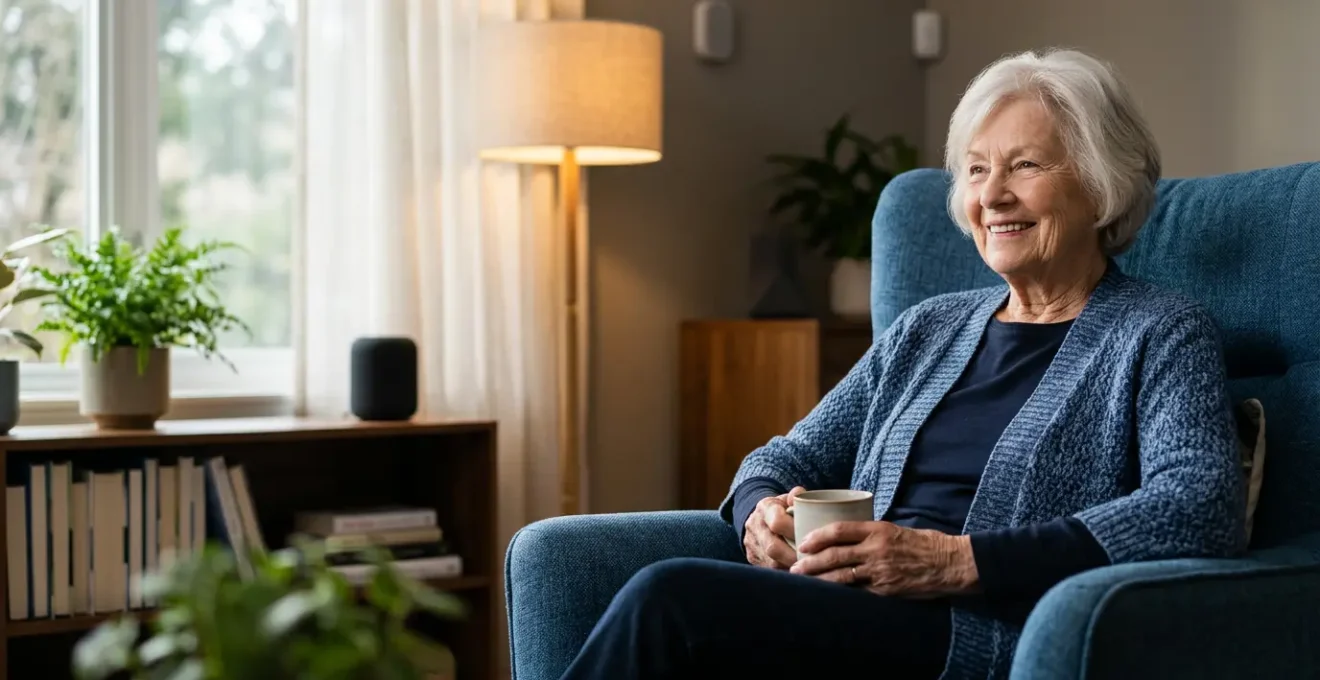
Effective smart home support for elderly parents is not about buying gadgets, but about designing a dignified and resilient safety system.
- Prioritise passive, privacy-respecting sensors over cameras to monitor wellbeing without intrusion.
- Build for failure by ensuring critical automations work offline and that caregivers are alerted if connectivity is lost.
Recommendation: Start with one high-impact, low-intrusion automation, like pathway lighting for nighttime safety, to build confidence for both you and your parent.
As an assistive technology specialist, one of the most common and heartfelt questions I hear comes from adult children worried about their ageing parents. You want to honour their fierce desire for independence, but the quiet fear of a fall, a missed medication, or a lonely crisis is ever-present. The market is flooded with devices promising peace of mind, from smart speakers that can answer questions to cameras that offer a constant watch. The default advice is often to install a collection of these gadgets and hope for the best.
However, this approach often fails. It can feel intrusive, become technically overwhelming, and crucially, it often breaks down when it’s needed most—during a power cut or internet outage. The key isn’t to simply fill a home with technology. It’s to thoughtfully design an ecosystem of support that is discreet, resilient, and, above all, respectful of the person’s dignity. This is about moving from surveillance to subtle safeguarding.
This guide is built on years of experience in real-world applications. We will not be creating a shopping list. Instead, we will explore the principles behind effective assistive technology. We will reframe the conversation from “what gadget should I buy?” to “what risk am I trying to mitigate, and how can technology do it in the most humane way possible?”.
In the following sections, we will delve into practical, evidence-based strategies for common challenges. You will learn how to make your parent’s home safer and your own mind quieter, by building a system that anticipates needs and is robust enough to be relied upon.
Summary: A Specialist’s Framework for Elderly Smart Home Support
- Why motion sensors are more dignified and effective than installing cameras in the lounge?
- How to configure smart bulbs to automatically light the path to the bathroom at 2 AM?
- Alexa or Red Cord: Which emergency alert system do seniors actually use in a crisis?
- The connectivity failure that leaves 30% of smart health monitors useless during an outage
- When to trigger audio reminders: The timing sequence that ensures pills are actually taken?
- Hive or Tado: Which smart heating system integrates better with older UK boilers?
- Why 60% of people fear driverless pods despite them being safer than human drivers?
- Shared Shuttles vs Private Pods: How Will Autonomous Transport Change the School Run?
Why motion sensors are more dignified and effective than installing cameras in the lounge?
The first instinct for many concerned children is to install cameras for peace of mind. However, this raises significant ethical and practical issues. For a parent who values their autonomy, the feeling of being constantly watched can be deeply unsettling and erode trust. In fact, comprehensive research on elderly perceptions of monitoring systems shows that privacy concerns are a major barrier to adoption, discussed in 87% of studies. A camera captures everything, but it doesn’t understand context. Is Mum just resting on the sofa, or has she been motionless for too long?
Motion sensors offer a more dignified and data-driven alternative. These small, discreet devices don’t see people; they simply detect presence and movement. By placing them strategically, you can build a picture of daily routines without infringing on privacy. For example, a sensor in the kitchen can confirm that your parent has been in for breakfast. A sensor in the hallway can track movement between rooms. It’s not about watching them, but about knowing they are active and following their usual patterns. An unexpected lack of motion during a certain time window can trigger a non-urgent check-in call from you, or an alert if the period of inactivity is prolonged.
This isn’t just theory. It’s a proven, effective strategy. A large-scale deployment in the UK provides compelling evidence. Across 80 care homes using camera-free smart sensors, a study found that falls decreased by 31% and ‘long-lie’ incidents were completely eliminated. This demonstrates that focusing on activity data, rather than invasive video, is not only more respectful but also clinically more effective at preventing harm.
How to configure smart bulbs to automatically light the path to the bathroom at 2 AM?
One of the highest-risk activities for an elderly person is getting up in the middle of the night to use the bathroom. A dark, disorienting environment dramatically increases the chance of a fall. Fumbling for a light switch can be difficult, and a bright overhead light can be jarring, disrupting sleep patterns and causing temporary blindness. This is a problem that smart technology is uniquely equipped to solve with elegance and precision.
The goal is to create an automated, gentle, and non-disruptive pathway of light. This isn’t achieved with a single smart bulb, but with a simple system. You will need a motion sensor placed near the bed (or on the bedroom door), and several smart bulbs or LED strips along the route to the bathroom. The configuration logic is what makes it work seamlessly. Using the smart home hub’s app (like Philips Hue, or a more advanced one like Home Assistant), you create a rule with three key conditions:
- The Trigger: The automation only runs when the bedroom motion sensor detects movement.
- The Time Condition: The rule is only active during specific hours, for example, from 11 PM to 6 AM.
- The Action: The smart lights along the hallway turn on, but not to full brightness. You should configure them to a very low level (10-20% brightness) and a warm, amber colour temperature (around 2200K-2700K). This provides enough light to see safely without the harsh, blue-light glare that wakes the brain up.
This setup is entirely passive. Your parent doesn’t need to do anything. The house itself anticipates their need and provides a safe, comforting guide in the dark. It’s a perfect example of technology working in the background to provide a tangible safety benefit.
As you can see, the focus is on low-level, indirect lighting. This ensures the path is clear without causing glare or disturbing a partner who may still be asleep. This small, inexpensive automation can have a profound impact on both safety and confidence.
Alexa or Red Cord: Which emergency alert system do seniors actually use in a crisis?
The traditional red cord or pendant has been the standard for decades, while voice assistants like Alexa are now marketed as modern replacements. The reality is that both have critical, and potentially fatal, flaws when used in isolation. The most important question isn’t which device is better, but rather, what happens to the user during the crisis itself? A fall can leave someone unconscious, disoriented, or physically unable to reach a cord or shout a clear command.
Therefore, a truly effective emergency system must account for both conscious and unconscious alerts. A conscious alert is one the person triggers themselves, like pulling a cord, pressing a button, or saying “Alexa, call for help.” This requires cognitive awareness and physical capability. However, in many emergencies, these are the very faculties that are compromised. This is where unconscious, or automatic, alerts become a literal lifesaver. These are typically triggered by technology like fall-detection sensors in a wearable device or an advanced motion-sensing system.
Case Study: The Dual-Alert System
A 2020 study published in the Wiley Online Library tested a system with both manual and automatic alerts. The results were clear: while 161 users found the manual button easy to use in testing, the specialists involved understood its limitations. The automatic fall detection provided a crucial safety net for scenarios where the user was incapacitated. The dual-system approach proved most effective because it covers a wider range of crisis scenarios, from a conscious call for help to an unwitnessed, incapacitating fall.
Even with wearable buttons, design matters immensely. Independent medical alert system testing reveals that neck pendants are often easier to press after a fall than wrist-only buttons, as an arm may be injured or trapped. The best system is a layered one: a wearable device with automatic fall detection and an easy-to-press manual button, supplemented by accessible voice commands and static panic buttons in high-risk areas like the bathroom.
The connectivity failure that leaves 30% of smart health monitors useless during an outage
You’ve invested in a fantastic system. Motion sensors are tracking activity, a smart pill dispenser is ready, and a fall detection pendant is in place. But what happens when the WiFi goes down or a brief power cut occurs? For a shocking number of commercially available smart home devices, the answer is: they become expensive paperweights. Any device that relies solely on a cloud connection to function will fail the moment home internet is lost, leaving your parent unprotected precisely when they might need help.
This is why system resilience is not a feature; it’s a prerequisite. A professional assistive technology setup must be designed to withstand common points of failure. The goal is to ensure that critical, life-sustaining automations continue to function locally, even with no internet, and that alerts can still get out if the primary connection fails. This requires a shift from WiFi-only gadgets to a more robust architecture built on three layers of protection.
This “Triple-Lock” strategy ensures the system’s core functions remain operational during the most common outages. The first layer handles power, the second handles local network communication, and the third ensures external communication can still happen. This is the difference between a hobbyist smart home and a genuine safety system.
At the heart of this resilient setup is a local processing hub connected to an Uninterruptible Power Supply (UPS). This hub, running software like Home Assistant or Hubitat, processes automations directly—motion sensor A triggers light B without needing to ask a server on the internet. This makes the system faster, more private, and infinitely more reliable. It’s a crucial investment for true peace of mind.
When to trigger audio reminders: The timing sequence that ensures pills are actually taken?
Forgetting to take medication is one of the most common issues for older adults, and it can have serious health consequences. The simple solution seems to be setting an alarm on a smart speaker: “Alexa, remind Mum to take her pills at 9 AM.” However, a simple, single reminder is often ineffective. It can be startling, it can occur when the person is in another room or in the bathroom, and it provides no confirmation that the action was actually completed.
A more effective approach, grounded in behavioural science, is to create a “Reminder-Action-Verification” loop. This isn’t just an alert; it’s a gentle, multi-stage process that guides the person to the action and confirms completion. It requires a bit more setup but transforms a simple reminder into a reliable adherence system. The sequence respects the person’s cognitive state by preparing them, reminding them with multiple sensory cues, and then requesting a simple action to close the loop.
The true power of this system comes from its ability to escalate. A missed reminder doesn’t just disappear into the ether. It triggers a clear, pre-defined protocol that ultimately alerts a caregiver, but only after the system has made several attempts to resolve the issue with the parent first. This respects their autonomy while ensuring a robust safety net is in place. Integrating context, such as only triggering the reminder when they are in the main living area, further refines the system and prevents “alert fatigue.”
Your Action Plan: The Medication Adherence Loop
- Pre-Reminder Alert (10 mins before): Configure a gentle audio notification: ‘Your medication time is in 10 minutes.’ This mentally prepares them without causing a surprise.
- Primary Reminder & Visual Cue (At time): Trigger the main audio reminder paired with a visual signal, like a specific smart bulb flashing a distinct colour, for multi-sensory reinforcement.
- Verification Action (Within 5 mins): Require a confirmation, such as pressing a smart button or the sensor on a smart pill dispenser detecting that a compartment has been opened.
- Escalation Level 1 (No action after 20 mins): Issue a more insistent audio reminder with increased volume and a more direct tone.
- Escalation Level 2 (No action after 40 mins): Automatically send a notification to the primary caregiver’s phone: ‘Medication at [time] was not confirmed.’ This creates a reliable safety net.
Hive or Tado: Which smart heating system integrates better with older UK boilers?
The question of whether Hive or Tado is ‘better’ for an older UK boiler is a common one, but it focuses on the wrong detail. The truth is, most modern smart thermostats from reputable brands can be made to work with the vast majority of boilers, including older S-Plan and Y-Plan systems, with the help of a qualified heating engineer. The real question is not about brand compatibility, but about how a smart thermostat can be transformed from a simple convenience into a vital tool for proactive welfare monitoring.
An elderly person’s safety is directly linked to their environment. A house that is too cold poses a significant risk of hypothermia, especially for those with limited mobility. A smart thermostat, configured correctly, can be your first line of defence. Instead of giving your parent another complex interface to manage, the goal is to set up a system that you can manage remotely, with automated safety alerts built-in. This removes the burden from them and places the control in your hands.
Here are the key functions you should prioritise when setting up a smart heating system for a vulnerable parent:
- Low-Temperature Safety Alerts: The most critical feature. Create a rule: IF the indoor temperature drops below a safe threshold (e.g., 16°C) for more than an hour, THEN send an urgent notification to your phone. This can be the first warning of a boiler failure or a window left open.
- Remote Management & Locking: You should be able to adjust the temperature and check the system’s status from your own phone. Locking the schedule or setting temperature limits on the local device prevents accidental changes that could lead to a dangerously cold or overly expensive environment.
- Sensible Scheduling: Program a simple, consistent schedule that ensures the home is warm when they wake up and in the evenings, with a comfortable but slightly cooler temperature overnight for safe sleep.
The brand is secondary to the function. Choose a system that excels at these remote management and alerting capabilities, and have it professionally installed to ensure it is safely integrated with the existing heating system.
Key Takeaways
- Dignity Over Surveillance: Always choose passive, privacy-preserving technology like motion sensors over cameras for monitoring wellbeing.
- Plan for Failure: A true safety system must be resilient, with local processing and power backups to function even when WiFi or power is down.
- Design a System, Not a Shopping List: The goal is an integrated ecosystem where devices work together to automate safety, not a collection of standalone gadgets.
Why 60% of people fear driverless pods despite them being safer than human drivers?
The statistic about fearing driverless technology, even when it’s proven safer, serves as a powerful analogy for the introduction of smart home technology into an elderly parent’s life. The fear is not about the technology itself, but about a perceived loss of control and agency. To your parent, their home is their sanctuary, a place where they are in charge. The idea of introducing a network of unseen sensors and automated rules can feel like ceding control to an unknown, untrusted entity—much like getting into a car with no driver.
This fear and resistance is a completely rational response to something that feels like an intrusion. Pushing back with facts and figures about safety (“but it will prevent falls!”) is often counterproductive, just as telling someone a driverless pod is statistically safer doesn’t erase their visceral fear. The key to overcoming this barrier is to change the narrative. The conversation should never be about the technology; it should be about the outcome that technology enables.
This is where reframing becomes essential. As experts from AgeSpace, a leading resource on elderly care, wisely point out, the focus must be on the human benefit.
The emphasis needs to be placed on how this type of tech enabled care can help older people to stay living at home safely and independently for as long as possible.
– AgeSpace Elderly Care Technology Experts, Home Monitoring Sensors for the Elderly Guide
Don’t talk about installing a “motion sensor network.” Talk about “making sure the house lights the way to the loo at night so you don’t trip.” Don’t mention “fall detection algorithms.” Frame it as “a smart pendant that can call for help on its own if you ever take a tumble and can’t get up.” By focusing on the preservation of independence, you align the technology with your parent’s own goals, transforming it from a threat into a tool for empowerment.
Shared Shuttles vs Private Pods: How Will Autonomous Transport Change the School Run?
This final question, though seemingly about transport, provides the perfect metaphor for the most important decision you’ll make: should you build a Do-It-Yourself (DIY) smart home system or invest in a professionally monitored service? Think of the DIY route as a “Private Pod”—you have complete control, it’s customised just for you, but you are also entirely responsible for its maintenance, fuel, and what happens if it breaks down. The professional service is the “Shared Shuttle”—it runs on a set schedule, you have less control over the route, but a professional driver is in charge, and there’s a whole company ensuring it runs safely and reliably.
There is no single right answer; the best choice depends entirely on your technical skill, available time, and the level of risk you are willing to manage personally. The DIY approach offers incredible power and customisation with no monthly fees, but it demands a significant upfront investment of time to learn, configure, and troubleshoot. You become the 24/7 technical support. A professional service, while carrying a monthly subscription, offloads that entire burden. They handle installation, monitoring, and dispatching emergency services, providing a simpler, albeit less flexible, solution.
The following table breaks down the key differences, using the data from a comparative analysis of smart home systems. Review it carefully to assess which path aligns best with your own capabilities and your parent’s needs.
| Feature | DIY Smart Home (Private Pod Model) | Professional Monitoring Service (Shared Shuttle Model) |
|---|---|---|
| Monthly Cost | £0 (after equipment purchase) | £25 – £50/month |
| Technical Skill Required | High – requires setup, troubleshooting, and ongoing management | Low – professional installation and tech support included |
| Customization | Highly customizable – full control over devices, automations, and rules | Limited – pre-configured packages with some customization options |
| Emergency Response | Self-monitored – alerts go to family members who must respond | 24/7 professional monitoring center dispatches emergency services |
| System Reliability | Dependent on your own internet, power backup, and troubleshooting ability | Company provides technical support and often includes cellular backup |
| Hardware Choice | Unlimited – works with most brands and protocols (Zigbee, Z-Wave, WiFi) | Restricted to company-approved devices and ecosystems |
| Data Privacy | Complete control – data stays local or in your chosen cloud | Data shared with third-party monitoring company (review privacy policy) |
| Long-term Commitment | No contract – one-time equipment investment | Often requires 1-3 year contract, though some offer month-to-month |
Ultimately, the goal is to create a system that adds a layer of safety without subtracting from a life lived with dignity and independence. The best technology is the one that disappears into the background, quietly working to make staying at home a safe, viable, and comfortable choice for as long as possible. Start small, focus on the biggest risks first, and always put the person, not the technology, at the heart of every decision.